Introduction

Before reading this post, you can clone my source code on GitHub for reference.
Hi guys,
In the previous post, I introduced an overview data pipeline and many tech stack for a data engineer. You can review this post here. Now, I will guide you setup a standard data pipeline. This will be a series of posts: “How To Build A Data Pipeline”, and please note that the code provided is for illustration purposes and meant for simulation. No wasting time, here are list of main tech stack we will apply for this:
- Dagster: The core data orchestration framework
- Docker: Containerization and deployment
- PostgreSQL: Used as Dagster’s metadata store
- DBT: Data transformations
- Snowflake: Data warehouse
Dagster is a data orchestration platform that helps data teams build, test, and monitor data pipelines. Dagster’s flexibility allows it to integrate seamlessly with a wide range of data tools and services. This extensibility makes Dagster a powerful choice for orchestrating complex data ecosystems.

In this post, we’ll focus on Dagster. I’ll walk you through setting up Dagster with Docker and PostgreSQL. Before begin, ensure you have the following installed:
- Docker
- Docker Compose
- Python 3.10 or later
- PostgreSQL
Project Structure
dagster/
├── compute_logs           # Directory for storing computation logs
├── dbt_project            # Contains dbt project files and models
├── example_postgres_data  # PostgreSQL data directory (for persistence)
├── local_artifact_storage # Local storage for Dagster artifacts
├── orchestration/         # Main directory for Dagster orchestration code
│   ├── assets/            # Definitions for Dagster assets
│   ├── jobs/              # Dagster job definitions
│   ├── resources/         # Custom resource definitions
│   ├── schedule/          # Schedule and sensor definitions
│   ├── utils/             # Utility functions and helpers
├── orchestration-dbt      # Integration code for Dagster and dbt
├── .env                   # Environment variables for the project
├── dagster.yaml           # Dagster instance configuration
├── Dockerfile             # Defines the Docker image for the project
├── docker-compose.yml     # Defines and configures the project's services
├── requirements.txt       # Python package dependencies
├── workspace.yaml         # Dagster workspace configuration
Setup Dagster
Dockerfile
This Dockerfile creates a custom image for Dagster, integrating the project’s source code.
# Dagster
FROM python:3.8-slim as dagster

# Update and upgrade the system packages
RUN apt-get update && apt-get upgrade -yqq

# Set an environment variable for Dagster's home directory
ENV DAGSTER_HOME=/opt/dagster/dagster_home/

# Create the Dagster home directory
RUN mkdir -p $DAGSTER_HOME

# Set the working directory to Dagster's home
WORKDIR $DAGSTER_HOME

# Copy necessary files into the working directory
COPY requirement.txt dagster.yaml workspace.yaml .env $DAGSTER_HOME

# Install the dependencies from the requirements file
RUN pip install -r requirement.txt

# Copy the project directories into the container
COPY /orchestration $DAGSTER_HOME/orchestration
# COPY /orchestration-dbt $DAGSTER_HOME/orchestration-dbt
# COPY /dbt_project $DAGSTER_HOME/dbt_project

# Expose port 3000 for web access
EXPOSE 3000

# Define the command to run the Dagster webserver
CMD ["sh", "-c", "dagster-webserver -h 0.0.0.0 -p 3000 & dagster-daemon run"]
Docker Compose
This Docker Compose configuration defines two services: PostgreSQL database (postgres) and the Dagster application (dagster).
version: '3.8'

services:
  postgres:
    image: postgres
    container_name: example_postgres
    hostname: example_postgres
    env_file:
      - .env
    environment:
      POSTGRES_USER: ${POSTGRES_DAGSTER_USER}
      POSTGRES_PASSWORD: ${POSTGRES_PASSWORD}
      POSTGRES_DB: ${POSTGRES_DB}
    restart: on-failure
    networks:
      - dagster_network
    ports:
      - 5438:5432
    volumes:
      - ./example_postgres_data:/var/lib/postgresql/data

  dagster:
    build: .
    container_name: example_dagster
    ports:
      - 3008:3000
    volumes:
      - ./orchestration:/opt/dagster/dagster_home/orchestration
      - ./compute_logs:/opt/dagster/dagster_home/compute_logs
      - ./local_artifact_storage:/opt/dagster/dagster_home/local_artifact_storage
    env_file:
      - .env
    restart: on-failure
    networks:
      - dagster_network
    depends_on:
      - postgres

networks:
  dagster_network:
    driver: bridge
Postgres Service
- Image: Uses the postgres image from DockerHub for a stable PostgreSQL version.
- Container name:
postgres - Environment variables:
- POSTGRES_USER: Username for PostgreSQL.
- POSTGRES_PASSWORD: Password for PostgreSQL.
- POSTGRES_DB: Database name for PostgreSQL.
- Restart Policy: Configured to restart on failure for reliability.
- Networks: Connects to
dagster_networkfor communication with the Dagster service. - Volumes: Maps the local
./example_postgres_datadirectory to/var/lib/postgresql/datain the container, ensuring data persistence.
Dagster Service
- Image: Built from the Dockerfile in the current directory.
- Port: Exposes port 3000 for the Dagster web interface.
- Volumes:
- Maps
./orchestrationto/opt/dagster/dagster_home/orchestrationfor orchestration code. - Maps
./compute_logsto/opt/dagster/dagster_home/compute_logsfor logs. - Maps
./local_artifact_storageto/opt/dagster/dagster_home/local_artifact_storagefor artifact storage.
- Maps
- Restart Policy: Set to restart on failure for service continuity.
- Networks: Connects to
dagster_networkfor communication with PostgreSQL. - Dependency: Depends on the postgres service to ensure it starts only after PostgreSQL is running.
Network Configuration
- Dagster Network: Creates a network named dagster_network using the bridge driver to facilitate communication between postgres and dagster services.
Configuration Files
dagster.yaml
compute_logs:
  module: dagster.core.storage.local_compute_log_manager
  class: LocalComputeLogManager
  config:
    base_dir: ./compute_logs

local_artifact_storage:
  module: dagster.core.storage.root
  class: LocalArtifactStorage
  config:
    base_dir: ./local_artifact_storage

storage:
  postgres:
    postgres_db:
      username: ******
      password: ******
      hostname: ******
      db_name: ******
      port: 5432

telemetry:
  enabled: False

scheduler:
  module: dagster.core.scheduler
  class: DagsterDaemonScheduler

run_coordinator:
  module: dagster.core.run_coordinator
  class: QueuedRunCoordinator
Compute Logs
- Purpose: Manages the capture and storage of stdout and stderr logs.
- Configuration:
module: Specifies the moduledagster.core.storage.local_compute_log_manager.class: Uses theLocalComputeLogManagerclass to manage local compute logs.config:base_dir: Directory for storing compute logs (./compute_logs).
Local Artifact Storage
- Purpose: Manages storage for local artifacts.
- Configuration:
module: Refers to thedagster.core.storage.root module.class: Uses theLocalArtifactStorageclass, which provides mechanisms for storing artifacts locally.config:base_dir: Directory for storing artifacts (./local_artifact_storage).
Dagster Storage
- Purpose: Manages the persistence of job and asset history.
- Configuration:
postgres: Specifies the use ofPostgreSQLas the storage backend.postgres_db: Database connection details.username: Database username.password: Database password.hostname: Database server hostname.db_name: Database name.port: Database port (default is 5432).
Telemetry
- Purpose: Configures the collection of anonymized usage statistics.
- Configuration:
enabled: Set to False to disable telemetry.
Scheduler
- Purpose: Manages pipeline schedules.
- Configuration:
module: Specifies the moduledagster.core.scheduler.class: Uses theDagsterDaemonSchedulerclass. This scheduler is a part of the Dagster daemon process and is responsible for scheduling and launching pipeline runs based on predefined schedules.
Run Coordinator
- Purpose: Manages run prioritization and concurrency.
- Configuration:
module: Refers todagster.core.run_coordinator.class: TheQueuedRunCoordinatorclass is used here. It provides functionality for queuing run requests and determining the order of execution. This is especially useful in scenarios where multiple pipeline runs are triggered, and there is a need to manage their execution order efficiently.
workspace.yaml
The workspace.yaml file configures the code location server for your project. It should be in the same directory as your Dockerfile.
load_from:
  - python_module: orchestration
#   - python_module: orchestration-dbt
Sample Code
Recources
Resources configurations, describing connections to external services such as databases, APIs, or custom tools.
# orchestration/resources/example_recource.py
from dagster import resource

class ExampleResource:
    def get_message(self):
        return "Hello from ExampleResource!"

@resource
def example_resource():
    return ExampleResource()
Assets
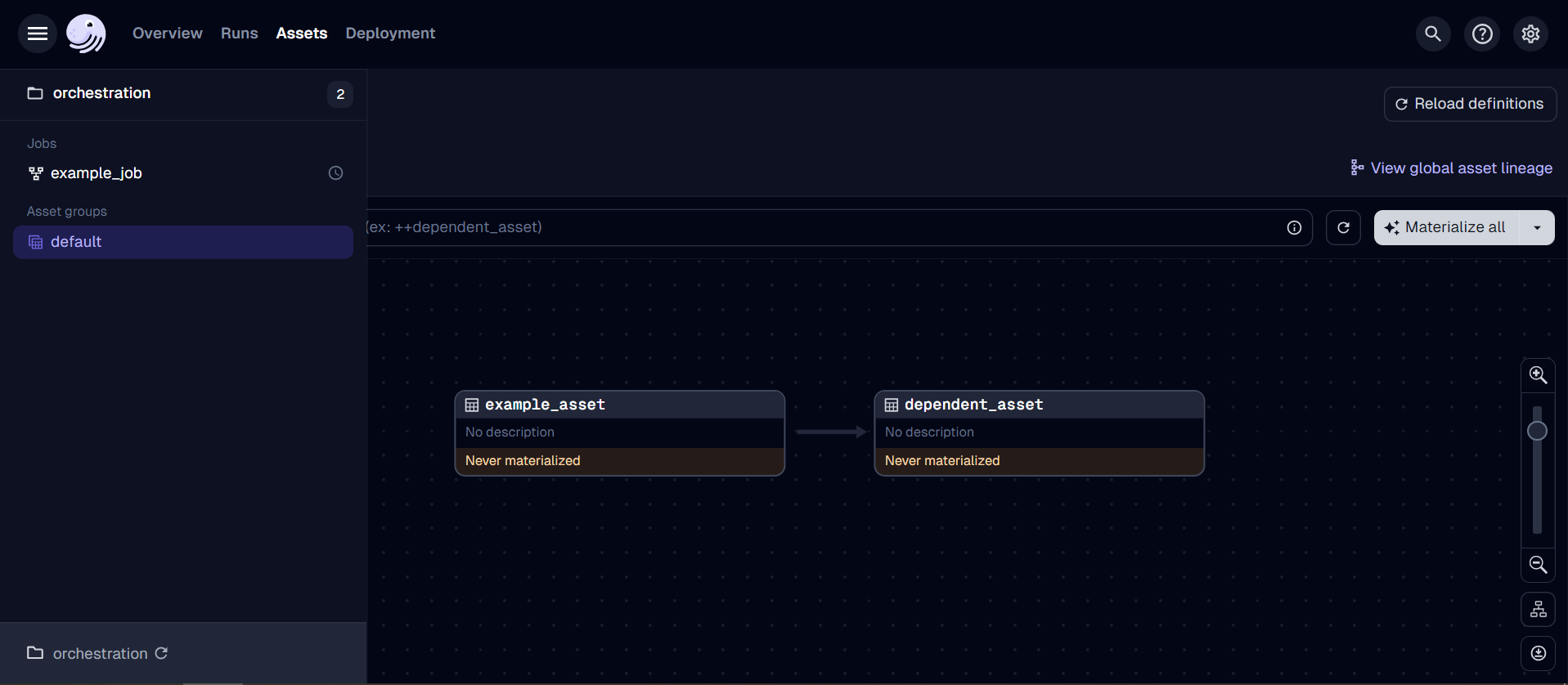
Assets represent data objects and their production methods.
# orchestration/assets/example_asset.py
from dagster import asset

@asset
def example_asset():
    return "This is an example asset"

@asset
def dependent_asset(example_asset):
    return f"This asset depends on: {example_asset}"
Jobs
Jobs are the main units for executing and monitoring specific sections of an asset graph.
# orchestration/jobs/example_job.py
from dagster import job

from ..assets.example_asset import example_asset, dependent_asset

@job
def example_job():
    example_asset()
    dependent_asset(example_asset())
Schedules
Schedules automate job execution at predetermined intervals.
# orchestration/schedules/example_schedule.py
from dagster import schedule
from orchestration.jobs.example_job import example_job

@schedule(
    cron_schedule="0 0 * * *",  # This is a daily schedule at midnight
    job=example_job,
    execution_timezone="UTC",
)
def example_schedule():
    return {}
Package Initialization
This file serves as the entry point for the Dagster project, bringing together all the components we defined earlier (assets, jobs, schedules, and resources) into a cohesive structure.
# orchestration/__ init__.py
from dagster import Definitions, load_assets_from_modules

from orchestration.assets import example_asset
from orchestration.jobs.example_job import example_job
from orchestration.schedules.example_schedule import example_schedule
from orchestration.resources.example_resource import example_resource

all_assets = load_assets_from_modules([example_asset])

defs = Definitions(
    assets=[*all_assets],
    jobs=[example_job],
    schedules=[example_schedule],
    resources={
        "example_resource": example_resource,
    }
)
Deployment
To deploy your Dagster project, follow these steps:
- Navigate to your Dagster project directory:
cd dagster
- Build and start your Docker containers:
docker-compose build
docker-compose up
- Once the containers are running, open a web browser and navigate to
http://localhost:3000to access the Dagster web interface. - To stop the deployment, run:
docker-compose down
You can refer to my code on GitHub.
Results
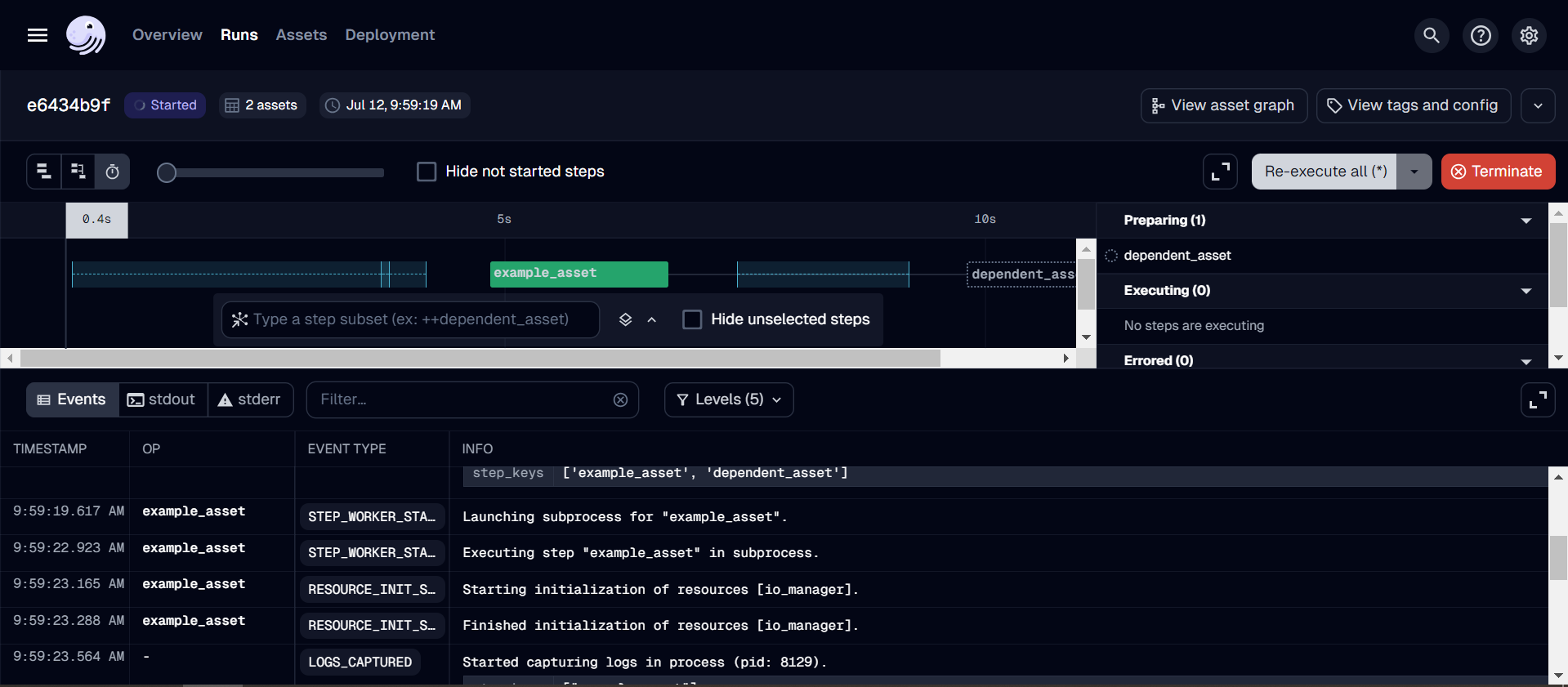
After deploying Dagster on Docker, you can access the Dagster web interface by navigating to http://localhost:3000. In the example code provided, I have written simple assets in Dagster to help you visualize our workflow. Essentially, we will write the assets and strategy code to ingest data from third-party API services into a database or data warehouse. The Dagster web interface allows us to monitor and manage data pipelines and handle GraphQL queries.
Key features of the Dagster web interface include:
- Jobs: Execute and monitor job runs
- Runs: View and filter all pipeline runs
- Assets: Explore and manage data assets
- Schedules: Set up and monitor automated job executions
- Sensors: Configure and track event-driven pipeline triggers
- Deployment: Access information about code locations, definitions, daemons, and configurations
The example code provided demonstrates a simple asset structure in Dagster. In real-world applications, you would typically write assets and strategy code to ingest data from third-party API services into databases or data warehouses.
Assets Example
Runs Example
Conclusion
Yayy, I have introduced and guided you through setting up Dagster on Docker step by step. Dagster is a robust tool for orchestrating data, easy to set up, and user-friendly. The most important aspect is building a strategy to ingest data from APIs. We need to understand:
- Source API (Endpoint, Response format, Authentication)
- Design Data Ingestion Flow
- Custom API Resource (if any)
- Strategy for each endpoint (Full Refresh Data, Incremental Data, Backfill)
- Error handling
I will write a separate post about Data Ingestion Strategy so we can explore it together. Returning to the main topic of this post, after successfully setting up Dagster and completing data ingestion, we will integrate DBT with Dagster to transform and clean data. This integration will be covered in part 2. See yah!
To read more about Part 2: Integrating DBT with Dagster