Introduction

Before reading this post, you can clone my source code on GitHub for reference.
Hi guys,
Welcome back to my series on building a comprehensive data pipeline. In Part 1, we delved into Dagster and walked through the process of setting it up using Docker. Today, we’re taking another exciting step forward in our journey to create a robust data workflow. In this installment, we’ll be exploring DBT (Data Build Tool), a powerful open-source tool that’s revolutionizing how data teams manage their transformation processes. Okay, let’s get started.
Understanding DBT (Data Build Tool)
DBT (data build tool) is an open-source command line tool that helps analysts and engineers transform data in their warehouse more effectively. Here are some key features of DBT:
- SQL-first approach: DBT uses SQL as its primary language, making it accessible to a wide range of data professionals.
- Version control: DBT projects can be version-controlled, allowing for better collaboration and change management.
- Modular and reusable code: DBT encourages the use of Jinja templating and macros for creating modular and reusable SQL code.
- Data documentation: DBT provides tools for documenting your data models, making it easier to understand and maintain your data transformations.
- Testing and validation: DBT includes features for testing your data transformations, ensuring data quality and consistency.
- Dependency management: DBT automatically manages dependencies between your models, ensuring they are built in the correct order.
When it comes to orchestrating DBT workflows, we have two main options:
- DBT Cloud: Using DBT Cloud to schedule model runs on Snowflake
- DBT Core: Integrating DBT with Dagster
DBT Core offers flexibility and control, while DBT Cloud provides a managed, collaborative environment. In the previous post, we explored setting up Dagster. Today, we’ll build on that foundation and focus on integrating DBT with Dagster. This approach allows us to seamlessly incorporate DBT transformations into our broader data workflows.
| Feature | DBT Core | DBT Cloud |
|---|---|---|
| Cost | Free | Paid (with free developer plan) |
| Hosting | Self-hosted | Managed service |
| Interface | Command-line | Web-based IDE + CLI |
| Scheduling | Requires external tools | Built-in |
| Collaboration | Via version control | Integrated collaborative features |
| Documentation | Self-hosted | Hosted and integrated |
| Access Control | Managed by you | Built-in user management |
| Customization | Highly customizable | Limited to platform features |
DBT supports various materialization strategies:
- View: Default; model represented as a SQL view
- Table: Physical table materialization for large datasets or performance-intensive queries
- Incremental: Updates existing tables based on specified logic, optimizing performance and cost
- Ephemeral: Compiled into dependent models' SQL, not directly materialized
Setting up DBT
Here’s a comprehensive breakdown of a DBT project structure:
dbt_project/
├── data/                  # CSV files for seed operations
├── macros/                # Reusable Jinja macros
├── models/                # SQL model definitions
│   ├── source/            # Models for raw data sources
│   ├── stage/             # Initial transformations
│   ├── common/            # Shared, reusable models
│   ├── common_mart/       # Business-specific models
│   └── utilities/         # Utility models and functions
├── snapshots/             # Configurations for slowly changing dimensions
├── data_tests/            # Custom data tests
├── dbt_project.yml        # Main project configuration
├── profiles.yml           # Connection profiles for different environments
└── packages.yml           # External package dependencies
We will progressively transform and clean data in this step. Based on the DBT structure above, you can write data models using SQL or write macros using Jinja and Python. Before providing some example code for data models, let’s configure your DBT project.
profiles.yml
This file includes connection details such as database credentials, connection settings, and other parameters required for dbt to interact with your database. You can choose PostgreSQL, MySQL, MongoDB, etc. In this series, I will select Snowflake as the data warehouse cloud. As mentioned previously, I will build a standard data pipeline using Dagster, PostgreSQL (used as Dagster’s metadata store), DBT, Snowflake, and Power BI.
default:
  outputs:
    dev:
      account: your_account
      database: your_database
      password: your_password
      role: your_role
      schema: your_schema
      threads: 1
      type: snowflake
      user: your_username
      warehouse: your_warehouse
  target: dev
dbt_project.yml
This file in dbt defines the configuration settings for your dbt project. It includes project metadata, model configurations, path configurations, and other settings that control how dbt operates within your project
name: 'my_dbt_project'           # Name of the dbt project
version: '1.0.0'                 # Version of the dbt project
config-version: 2                # Configuration file version
profile: 'default'               # The profile to use from the profiles.yml file

# Model configurations
models:
  my_dbt_project:
    materialized: table          # Default materialization strategy for models in the project
    staging:
      materialized: view         # Materialization strategy for models in the 'staging' subdirectory

# Path configurations
model-paths: ["models"]          # Where your SQL model files are stored
analysis-paths: ["analysis"]     # Where analytical SQL scripts are stored
test-paths: ["tests"]            # Where tests for models are stored
seed-paths: ["data"]             # Where CSV files for seeding are stored
macro-paths: ["macros"]          # Where Jinja macros are stored
snapshot-paths: ["snapshots"]    # Where snapshot files are configured

# Compilation and Cleanup
target-path: "target"            # Directory which will store compiled SQL files and docs
clean-targets:                   # Directories to be removed by `dbt clean`
  - "target"
  - "dbt_packages"
packages.yml
This file in dbt is used to manage dbt packages, which are collections of reusable models, macros, and other dbt artifacts that can be shared across projects.
packages:
  - package: dbt-labs/dbt_utils
    version: 1.1.1
Sample Code
I will write some sample code about Shopify data. Basically, I need to get data from Snowflake (raw schema) (after Dagster ingests it successfully) and then build a data model using DBT. Finally, I will push the data back to Snowflake (clean schema). We will work with three main tables: country, customer, and order.
In this example, I am utilizing Dimensional Modeling Techniques (DMT) to design the data model. For further information on DMT, you can refer to here.
Data
country_code,country_name
US,United States
CA,Canada
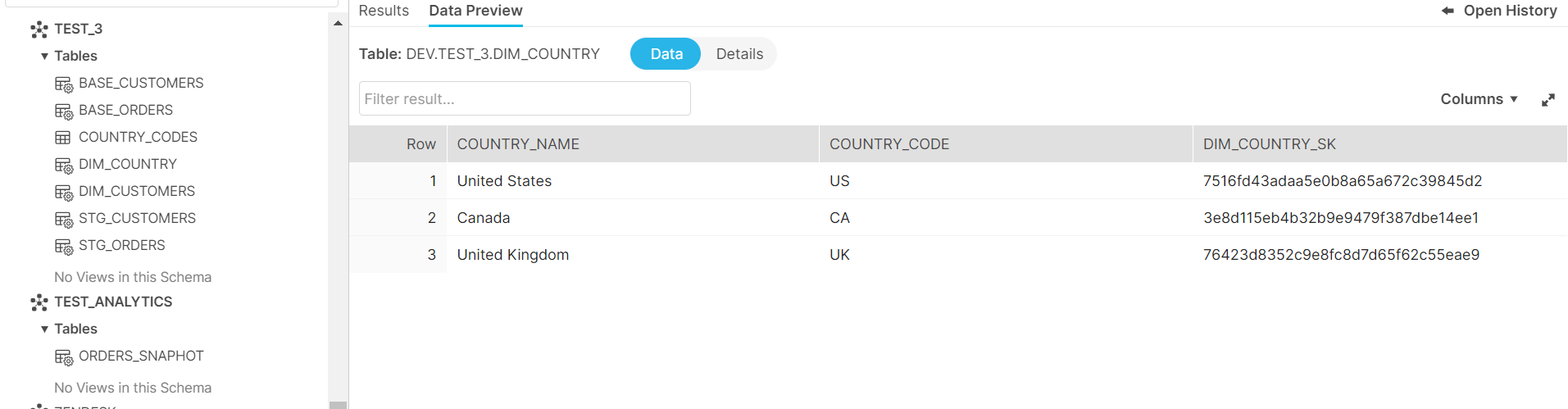
UK,United Kingdom
Models
Sources
source.yml
version: 2
sources:
  - name: shopify_raw
    description: ingestion from dagster
    database: dev
    schema: dbt_test_source
    tables:
      - name: base_shopify_order
      - name: base_shopify__customer
schema.yml
version: 2
models:
    #1
    - name: base_orders
      desciption: "Test base_orders table"
      columns:
        - name: order_id
          description: "The primary key for this table"
          tests:
            - unique
            - not_null
base_customers.sql
-- base_customers.sql
select * from {{ source('shopify_raw', 'base_shopify__customer') }} limit 10
base_orders.sql
-- base_orders.sql
select * from {{ source('shopify_raw', 'base_shopify_order') }} limit 10
Stage
stg_customers.sql
-- stg_customers.sql
{{
  config(
    tags = ['shopify']
  )
}}

with base_customers as (
    select * from {{ ref('base_customers') }}
), final as (

    select

        customer_id
        ,email
        ,first_name
        ,last_name
        ,phone
        ,created_at_timestamp
        ,state

    from base_customers
) select * from final
stg_orders.sql
-- stg_orders.sql
{{
  config(
    tags = ['shopify']
  )
}}

with base_orders as (

    select * from {{ ref('base_orders') }}

), final as (

    select

        order_id
        ,customer_id
        ,financial_status
        ,fulfillment_status
        ,tags
        ,payment_gateway_names
        ,presentment_currency
        ,total_line_items_price_presentment_amount
        ,total_discounts_presentment_amount
        ,subtotal_price_presentment_amount
        ,total_tax_presentment_amount
        ,total_shipping_price_presentment_amount
        ,total_price_presentment_amount
        ,created_at_timestamp
        ,updated_at_timestamp
        ,cancelled_at_timestamp
        ,order_status_url

    from base_orders

) select * from final
Common
dim_country.sql
-- dim_country.sql
{{
  config(
    tags = ['shopify']
  )

}}

with country as (

    select distinct

        country_name
        ,country_code

    from {{ ref('country_codes') }}

)
select
    *
    ,{{ dbt_utils.generate_surrogate_key(['country_code']) }} as dim_country_sk
from country
where country_code is not null
dim_customers.sql
-- dim_customers.sql
{{
  config(
    tags = ['shopify']
  )
}}

with stg_customers as (

    select * from {{ ref('stg_customers') }}

), final as (

    select

        customer_id
        ,first_name
        ,last_name
        ,email

    from stg_customers

) select * from final
Utilities
date_spine.sql
-- date_spine.sql
{{ dbt_utils.date_spine(
    datepart="day",
    start_date="cast('2020-01-01' as date)",
    end_date="cast('2030-12-31' as date)"
 ) }}
Macros
trim_email.sql
-- trim_email.sql
{% macro trim_email(email) -%}
    {%- if email is none -%}
        NULL
    {%- else -%}
        {{ email | trim }}
    {%- endif -%}
{%- endmacro %}
Snapshots
order_snapshots.sql
-- order_snapshots.sql

{% snapshot orders_snaphot %}

    {{
        config(
          target_schema='test_analytics',
          strategy='timestamp',
          unique_key='order_id',
          updated_at='updated_at_timestamp',
          tags=["shopify"],
        )
    }}
    select * from {{ ref('stg_orders') }}
        where updated_at_timestamp = (
            select max(updated_at_timestamp)
            from {{ ref('stg_orders') }}
        )
{% endsnapshot %}
Data Tests
check_order_discount.sql
-- check_order_discount.sql
select
    order_id,
    total_discounts_presentment_amount as discount
from {{ ref('stg_orders') }}
where discount > 0
Integrating DBT with Dagster
I hope you are well. We have spent time together setting up and coding for this project, and it’s now 80% complete. Now, we need to test run the dbt model and integrate it with Dagster to monitor and manage it automatically.
Firstly, make sure you have removed the comments from orchestration-dbt in the Dockerfile and workspace.yaml file. In part 1, I only ran Dagster, so I had commented out orchestration-dbt.
Dockerfile
# Copy the project directories into the container
COPY /orchestration $DAGSTER_HOME/orchestration
COPY /orchestration-dbt $DAGSTER_HOME/orchestration-dbt
COPY /dbt_project $DAGSTER_HOME/dbt_project
workspace.yaml
load_from:
  - python_module: orchestration
  - python_module: orchestration-dbt
Now, let’s run the following commands in order:
cd dagster\dbt_project    # Navigate to the dbt project directory
dbt debug                 # Check configuration and connection
dbt deps                  # Install dependencies
dbt build                 # Compile and run all models, tests, snapshots, and seeds
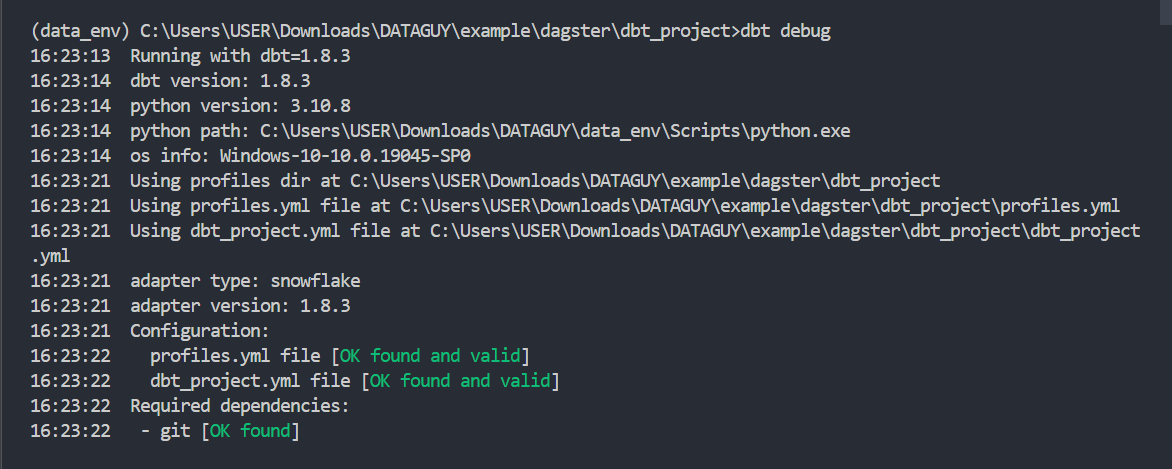
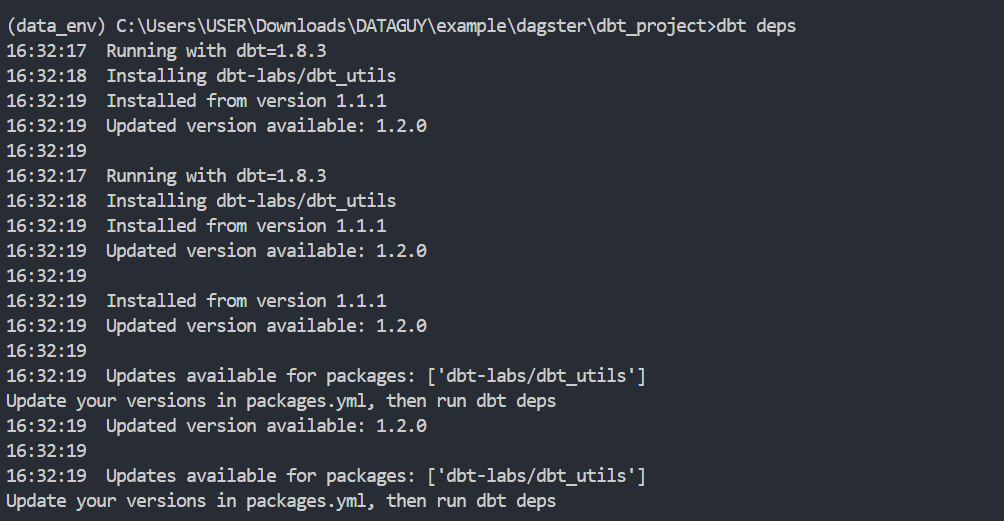
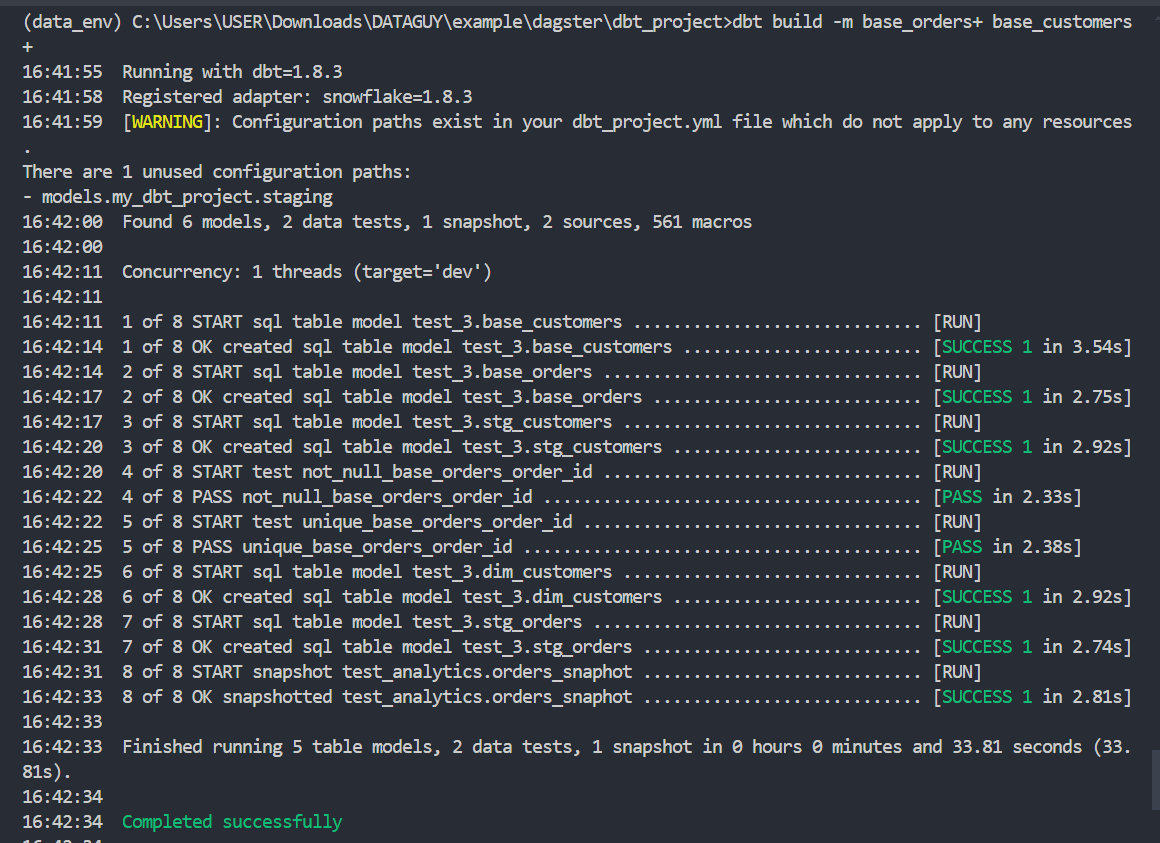
After the build completes successfully, you can access Snowflake to check your data.
We set up and manually ran the dbt project successfully. Now, we will integrate dbt with Dagster. In the orchestration-dbt folder, we need to create a new file called __init__.py. This file is part of a Dagster orchestration setup for managing dbt (data build tool) workflows. It integrates dbt with Dagster, allowing for the scheduling and execution of dbt commands within a Dagster pipeline.
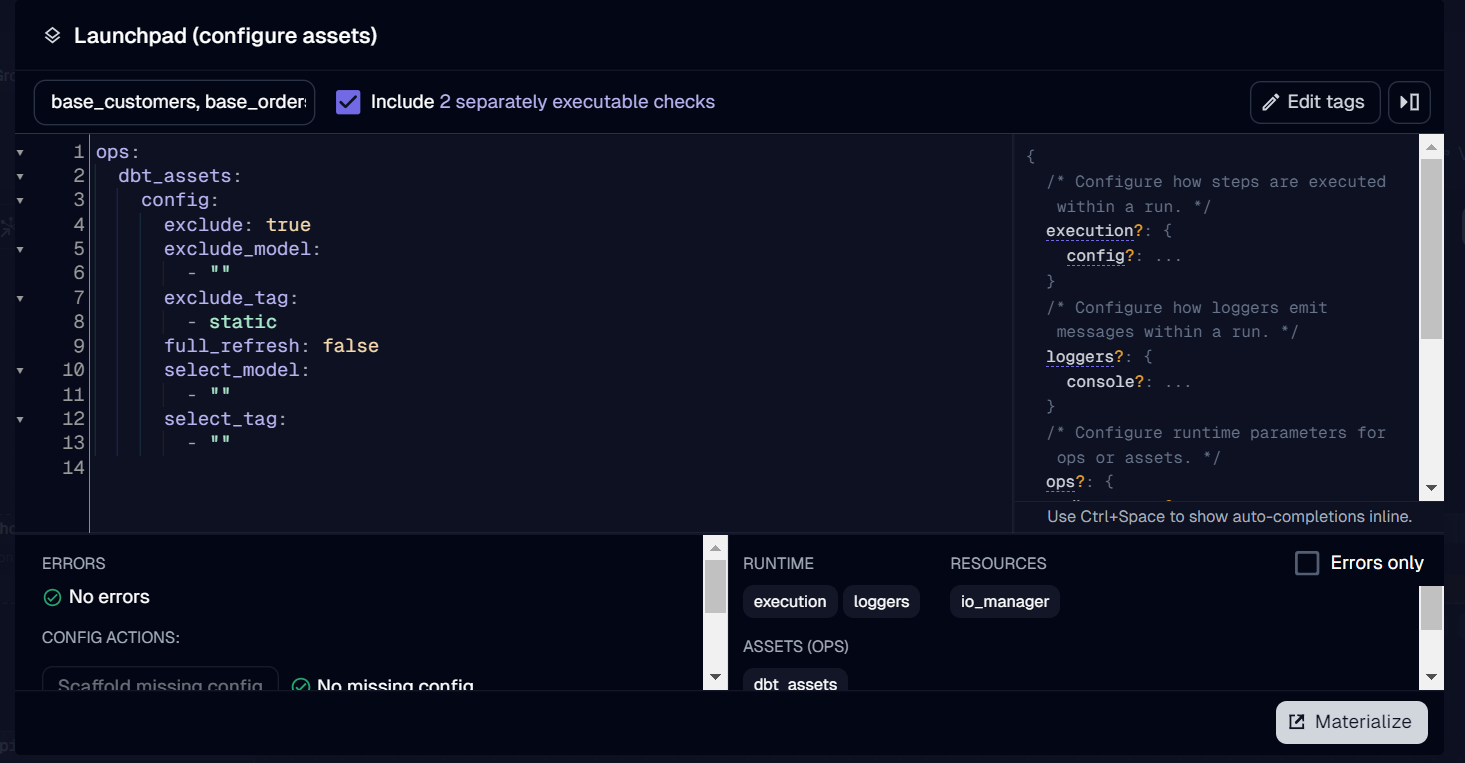
I will configure dbt run options using Pydantic models, define dbt assets with customizable build arguments, and set up schedules to run these assets daily and monthly.
# __init__.py

from dagster import Definitions, Config
from typing import List
from pydantic import Field
from pathlib import Path
import os
from dagster_dbt import DbtCliResource, build_schedule_from_dbt_selection, dbt_assets, DagsterDbtTranslatorSettings, DagsterDbtTranslator

# Define the path to the dbt project within your Docker environment
dbt_project_dir = Path(__file__).joinpath("..", "..", "dbt_project").resolve()
dbt = DbtCliResource(project_dir=os.fspath(dbt_project_dir))
dbt_manifest_path = dbt_project_dir.joinpath("target", "manifest.json")

dagster_dbt_translator = DagsterDbtTranslator(settings=DagsterDbtTranslatorSettings(enable_asset_checks=True))

# Create a Pydantic model to configure dbt run options
class MyDbtConfig(Config):
    full_refresh:  bool      = Field(default=False     , description="Flag to indicate if a full refresh.")
    exclude:       bool      = Field(default=True      , description="Flag to determine if certain tags or models should be excluded.")
    exclude_tag:   List[str] = Field(default=["static"], description="List of tags to exclude. Write in bullet points.")
    exclude_model: List[str] = Field(default=[""]      , description="List of models to exclude. Write in bullet points.")
    select_tag:    List[str] = Field(default=[""]      , description="List of tags to include. Write in bullet points.")
    select_model:  List[str] = Field(default=[""]      , description="List of models to include. Write in bullet points.")

@dbt_assets(
        manifest=dbt_manifest_path
        ,dagster_dbt_translator=dagster_dbt_translator
        )

def dbt_assets(context, config: MyDbtConfig):
    #Set variables (strip space for strings)
    dbt_build_args = ["build"]
    full_refresh = config.full_refresh
    exclude = config.exclude
    exclude_tag_string = " ".join(f"tag:{tag.strip()}" for tag in config.exclude_tag if tag.strip() != "")
    exclude_model_string = " ".join(model.strip() for model in config.exclude_model if model.strip() != "")
    select_tag_string = " ".join(f"tag:{tag.strip()}" for tag in config.select_tag if tag.strip() != "")
    select_model_string = " ".join(model.strip() for model in config.select_model if model.strip() != "")

    #Check conditions

    if full_refresh:
        dbt_build_args += ["--full-refresh"]
    if exclude and (exclude_tag_string or exclude_model_string):
        dbt_build_args += ["--exclude", exclude_tag_string, exclude_model_string]
    if select_tag_string or select_model_string:
        dbt_build_args += ["--select", select_tag_string, select_model_string]
        dbt_build_args = [arg for arg in dbt_build_args if arg != ""] #Remove empty strings from args list
        yield from dbt.cli(dbt_build_args, manifest=dbt_manifest_path).stream()
    else:
        dbt_build_args = [arg for arg in dbt_build_args if arg != ""]
        yield from dbt.cli(dbt_build_args, context=context).stream() #Remove empty strings from args list

# Define a schedule to run dbt assets daily
daily_dbt_schedule = build_schedule_from_dbt_selection(
    [dbt_assets],
    cron_schedule="0 8 * * *",  # Scheduled to run daily at 8:00 AM
    job_name="daily_dbt_models",
    dbt_exclude="tag:static"
)

# Define a schedule to run dbt assets monthly
monthly_dbt_schedule = build_schedule_from_dbt_selection(
    [dbt_assets],
    dbt_exclude="tag:static",
    dbt_select="tag:monthly",
    cron_schedule="0 13 1 * *",  # Scheduled to run on the first day of each month at 1:00 PM
    job_name="monthly_dbt_models"
)

defs = Definitions(
    assets=[dbt_assets],
    schedules=[daily_dbt_schedule, monthly_dbt_schedule]
)
We will rebuild and restart Docker Compose to view the results. In part 1, I introduced how to run assets/jobs on Dagster, so I won’t mention that again in this post.
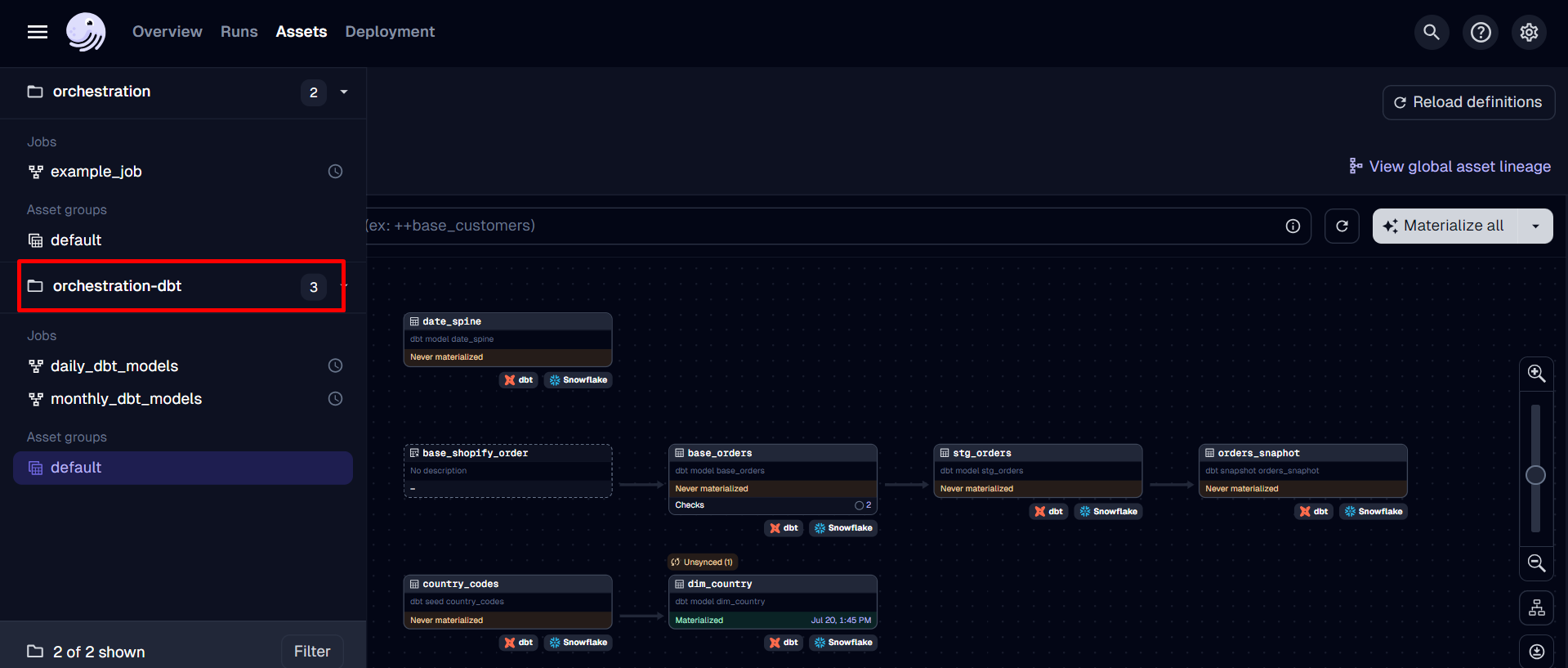
We can configure assets before materializing them here.
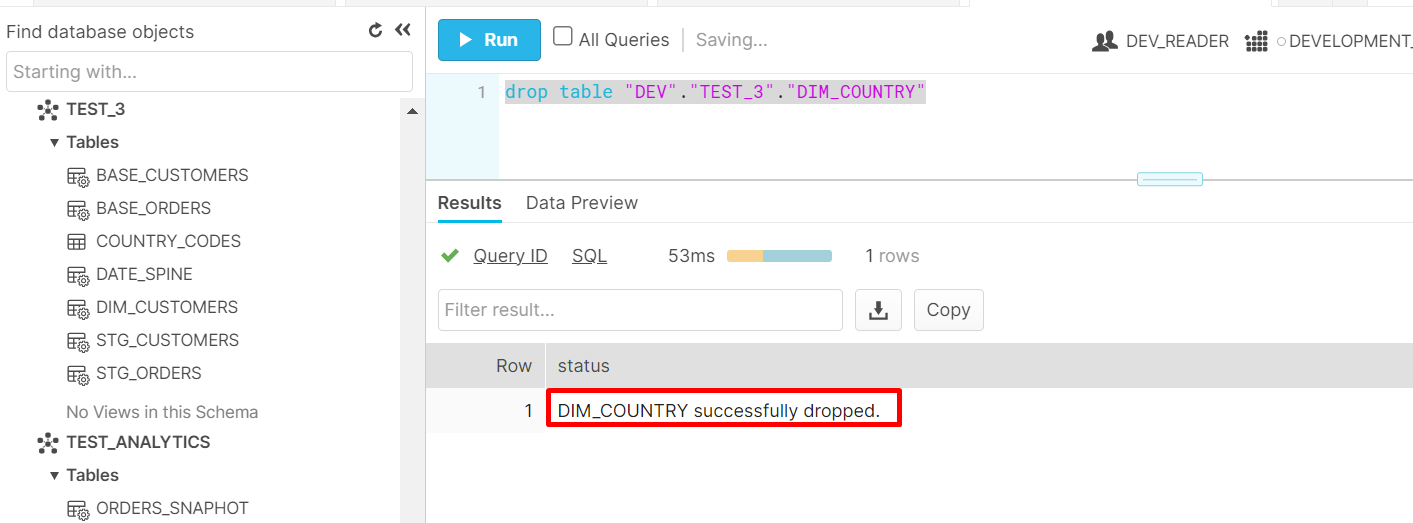
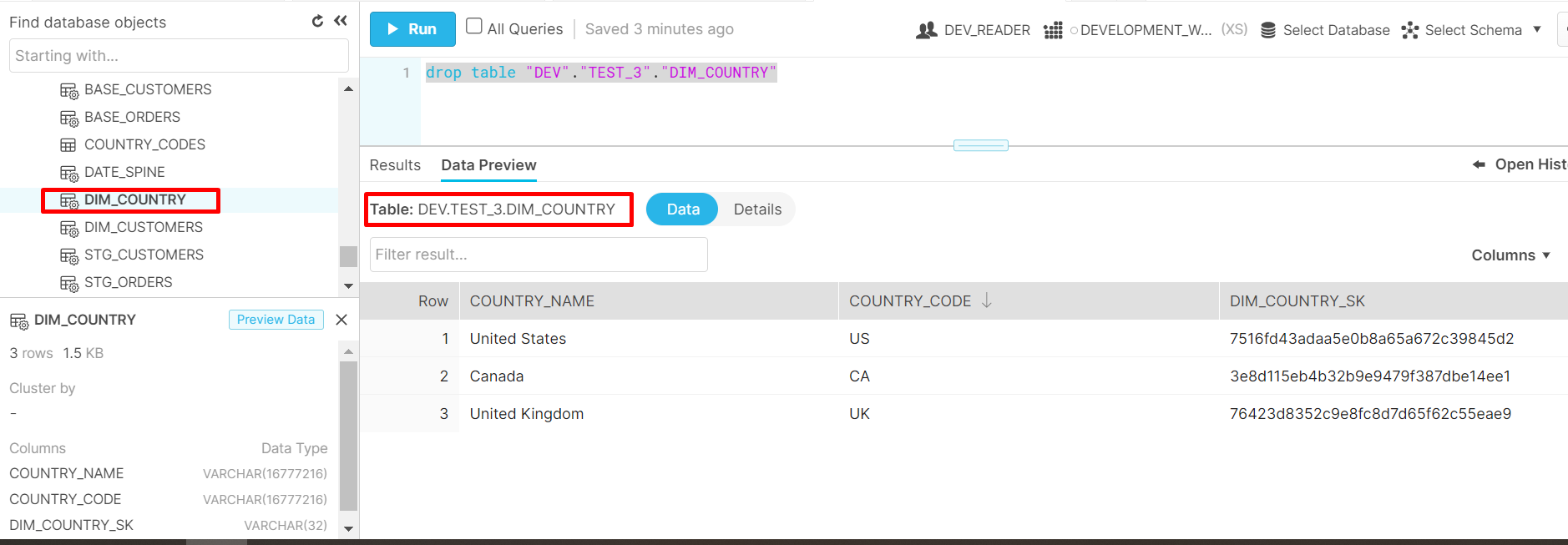
Assuming I dropped the dim_country table in Snowflake.
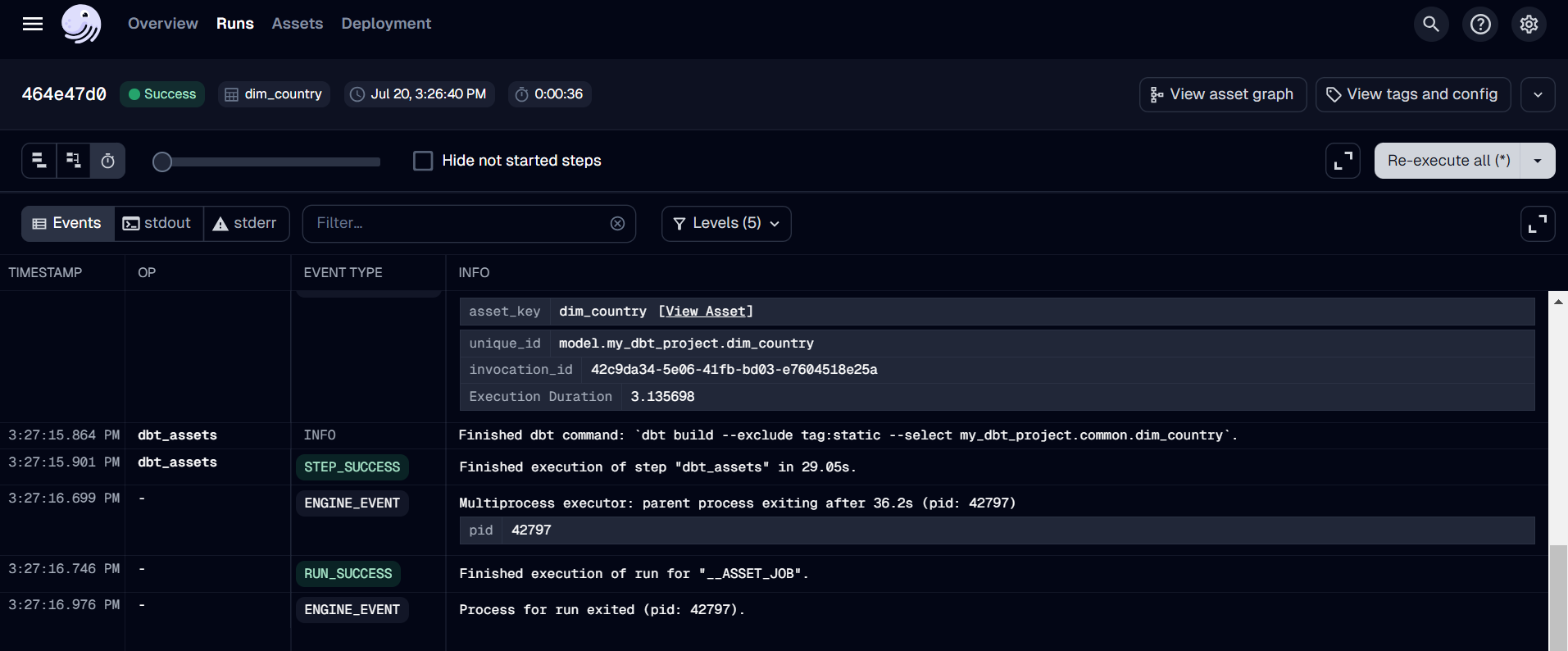
I will rebuild the dim_country table using Dagster.
Conclusion
Time flies, and we have successfully set up and integrated DBT with Dagster. After the two parts of the series “How To Build A Data Pipeline”. I hope you feel confident in building a standard data pipeline using Dagster and DBT.
As mentioned in many posts, Dagster, DBT, Snowflake, and other tools are just that—tools. You will easily become familiar with them if you put in the effort. For me, the mindset to design pipelines and the strategy to work with APIs are more important. If you are a Data Engineer, you can research more similar technologies to improve your skills. However, if you want to work more with end-users, you need to truly understand the meaning of your data.
In the upcoming posts, we will discuss topics such as optimizing performance in Snowflake, visualizing data in Power BI, and the application of LLM in data analysis. See yah!
To read more about Part 3: Optimizing Performance in Snowflake